
If you've ever Googled "voice search registration" or wondered if there's a special service you need to pay for so Alexa recommends your business… you're not alone. Hundreds of business owners search for this every month.
Here's the truth: there is no voice search registry. No magic form. No fee. No secret database. But voice search is massive. There are now 8.4 billion voice assistants in use globally... more than there are people on Earth. And 76% of those voice searches have local intent.
Voice assistants find businesses the same way they find everything else… by pulling from data sources they already trust. Your job is to show up in those sources with clean, consistent, structured information. The difference is how people search. When typing, someone might enter 'plumber Denver.' When speaking, they say 'Who's the best plumber near me that's open right now?' Voice queries are conversational, longer, and usually local. Your content needs to match how people actually speak.
This guide breaks down exactly how Siri, Alexa, and Google Assistant find local businesses, and the specific steps you need to take to show up when customers ask.
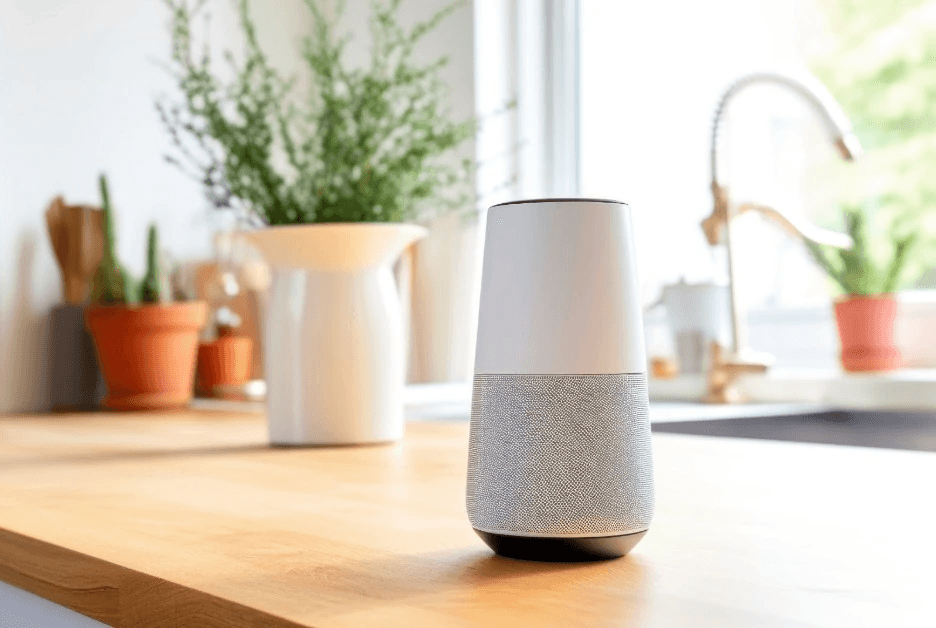
How Voice Assistants Actually Find Local Businesses
Each voice assistant has preferred data sources—think of them as their trusted libraries. If your business isn't in those libraries (or your information is wrong), you don't exist to that assistant.
Siri and Apple Maps
When someone says "Hey Siri, find a plumber near me," Siri checks one primary source: Apple Maps.
Siri does not use Google Maps—ever. Even if your Google Business Profile is flawless, Siri won't see it.
To exist in Siri's world, claim and optimize your listing through Apple Business Connect, Apple's free tool for managing how your business appears across Apple Maps, Siri, Spotlight, and Apple Wallet.
More than 500 million people use Apple devices. Siri has 86.5 million users in the United States alone. If you're not in Apple Business Connect, you're invisible to all of them during voice searches.
→ Action step: Go to businessconnect.apple.com and claim your listing.
Alexa and Amazon Echo
"Alexa, find a pizza place near me" triggers a different data pull. Alexa primarily sources local business information from Yelp, along with Bing Places and various data aggregators.
Alexa has approximately 77 million users globally, with 52% of smart speaker owners using their devices daily.
Here's what surprises most business owners: there is no Alexa business registration form. Amazon doesn't offer a way to submit your business directly to Alexa. Instead, Alexa reads your information from the directories it trusts.
If you want Alexa to find you, focus on Yelp (which provides the bulk of Alexa's local business data) and Bing Places for Business.
→ Action step: Claim and fully optimize your Yelp Business Page and Bing Places listing.
Google Assistant
Google Assistant relies on your Google Business Profile and your website's overall local SEO. If you've already invested in Google visibility, you have a head start here.
Google Assistant leads with an estimated 92 million users in the United States and powers voice search on Android devices, Google Home speakers, and more.
The same optimization that helps you rank in Google Search and Google Maps helps you show up in Google Assistant voice results. Your reviews are also critical for voice search visibility… here's how to build your review strategy ethically.
→ Action step: If you haven't already, claim your Google Business Profile and ensure all information is complete and current.
The 4 Foundations of Voice Search Visibility
Regardless of which voice assistant you're targeting, these four fundamentals apply across every platform.
1. Claim Your Listings in the Right Places
At minimum, every local business needs verified listings on:
Apple Business Connect → feeds Siri and Apple Maps
Google Business Profile → feeds Google Assistant
Yelp → feeds Alexa (and supplements Siri)
Bing Places for Business → feeds Alexa and Cortana
These aren't optional. They're the data sources voice assistants trust.
2. Keep Your NAP Identical Everywhere
NAP stands for Name, Address, and Phone Number. Voice assistants cross-reference this information across multiple sources. Inconsistencies create doubt.
If your address shows as "123 Main Street" in one directory and "123 Main St." in another, that mismatch can hurt your visibility. Voice assistants use confidence scores—inconsistent data lowers yours.
Every listing, every directory, every mention of your business should use the exact same formatting.
3. Add Schema Markup to Your Website
Schema markup is structured data you add to your website's code that helps search engines and AI systems understand exactly what your business is, what you offer, and where you're located.
The most valuable schema types for voice search visibility:
LocalBusiness (or a specific subtype like Restaurant, Dentist, Plumber)
Service or Product for what you offer
FAQPage for common questions customers ask
Organization for your business identity
Schema doesn't directly "register" you with Siri or Alexa. But it makes it significantly easier for the search engines and data sources those assistants rely on to parse and trust your content. This is part of a broader shift called Answer Engine Optimization (AEO)... optimizing your content to be the direct answer AI systems and voice assistants select. Schema markup is one of the most powerful tools for AEO because it tells these systems exactly what your business is in a language they understand.
4. Build Reviews and Ratings
Voice assistants prioritize businesses with strong reputations. When someone asks for "the best" or "top-rated" anything, platforms like Google filter results to show only businesses with 4+ star ratings.
Yelp ratings directly influence what Alexa recommends. Google reviews affect Google Assistant results. Actively requesting reviews from satisfied customers isn't just good marketing—it's voice search optimization.
5. Aim for Position Zero
Voice assistants typically read one answer aloud... and that answer usually comes from a featured snippet (also called "Position Zero"). Over 80% of Google Assistant voice answers come from the top three search results. Content structured with clear questions and direct answers has the best chance of being selected. This is where your FAQ content and schema markup work together.
What About Custom Alexa Skills?
You may have heard about Alexa Skills—custom voice applications that let users say things like "Alexa, ask [Your Business Name] about pricing."
This is real and available to any business through Amazon's Alexa Skills Kit. Some businesses use Skills for FAQs, appointment booking, or providing information hands-free.
But here's the important distinction: having an Alexa Skill does not affect whether Alexa recommends you in local search results.
When someone asks "Alexa, find a plumber near me," Alexa uses Yelp and Bing—not your custom Skill.
Skills are a branded experience for customers who already know your business name. They're a nice-to-have addition, not a substitute for proper listing management.
Voice Search Optimization Checklist
Use this checklist to ensure your business is positioned for voice search visibility:
Listings:
Apple Business Connect claimed and verified
Google Business Profile complete and current
Yelp Business Page claimed and optimized
Bing Places for Business verified
Consistency:
Business name spelled identically everywhere
Address formatted the same across all platforms
Phone number uses consistent formatting
Business hours accurate and matching
Website:
LocalBusiness schema implemented
FAQPage schema on relevant pages
Mobile-friendly and fast-loading
Content answers natural language questions
Pages that rank for voice search load 52% faster than average. Speed matters.
Reputation:
Actively requesting customer reviews
Responding to reviews on Google and Yelp
Maintaining 4+ star average ratings
Frequently Asked Questions
Do I need to pay for voice search registration? No. There is no official voice search registry for Alexa, Siri, or Google Assistant. Services that charge for "voice registration" are selling something that doesn't exist. Focus your investment on optimizing your free business listings instead.
Why doesn't Siri find my business even though I'm on Google? Siri uses Apple Maps, not Google Maps. If you haven't claimed your listing through Apple Business Connect, Siri has no data source for your business. These are completely separate ecosystems.
How long does it take to show up in voice search results? After claiming and verifying your listings, allow 2-4 weeks for changes to propagate across voice assistant platforms. Some data aggregators take 30-90 days to sync fully. The good news: voice search results load 52% faster than typical search results, so once you're in, customers get to you quickly.
Does schema markup directly register me with voice assistants? No—but it helps significantly. Schema makes your website's information machine-readable, which helps the search engines and directories that voice assistants rely on understand and trust your business data.
The Bottom Line
Voice search visibility isn't mysterious. It's also increasingly valuable. Voice commerce is expected to reach $80 billion by 2026, and 58% of consumers already use voice search to find local businesses. The businesses showing up in those results are capturing customers their competitors never even see. It follows the same principle as all AI visibility: be present in the data sources AI systems trust, with accurate and structured information they can easily understand. This practice is called Answer Engine Optimization—our complete guide covers the full picture.
For voice specifically, that means claiming your listings on Apple Business Connect, Google Business Profile, Yelp, and Bing Places. It means keeping your business information consistent across every platform. And it means adding schema markup so AI systems can clearly interpret who you are and what you offer. And don't forget that a strong internal linking strategy helps AI recognize your comprehensive expertise.
There's no shortcut. No secret registry. No single payment that unlocks voice visibility.
The businesses that show up when customers ask are simply the ones that did the work to be findable in all the right places.
Written by Debbie Anderson, Founder at Beacon4ai