
Found.
YOUR BRAND, DISCOVERED BY AI
Issue 003 / March • NAP Consistency, AI Visibility for Restaurants, and Why Blogging Drives AI Search Results
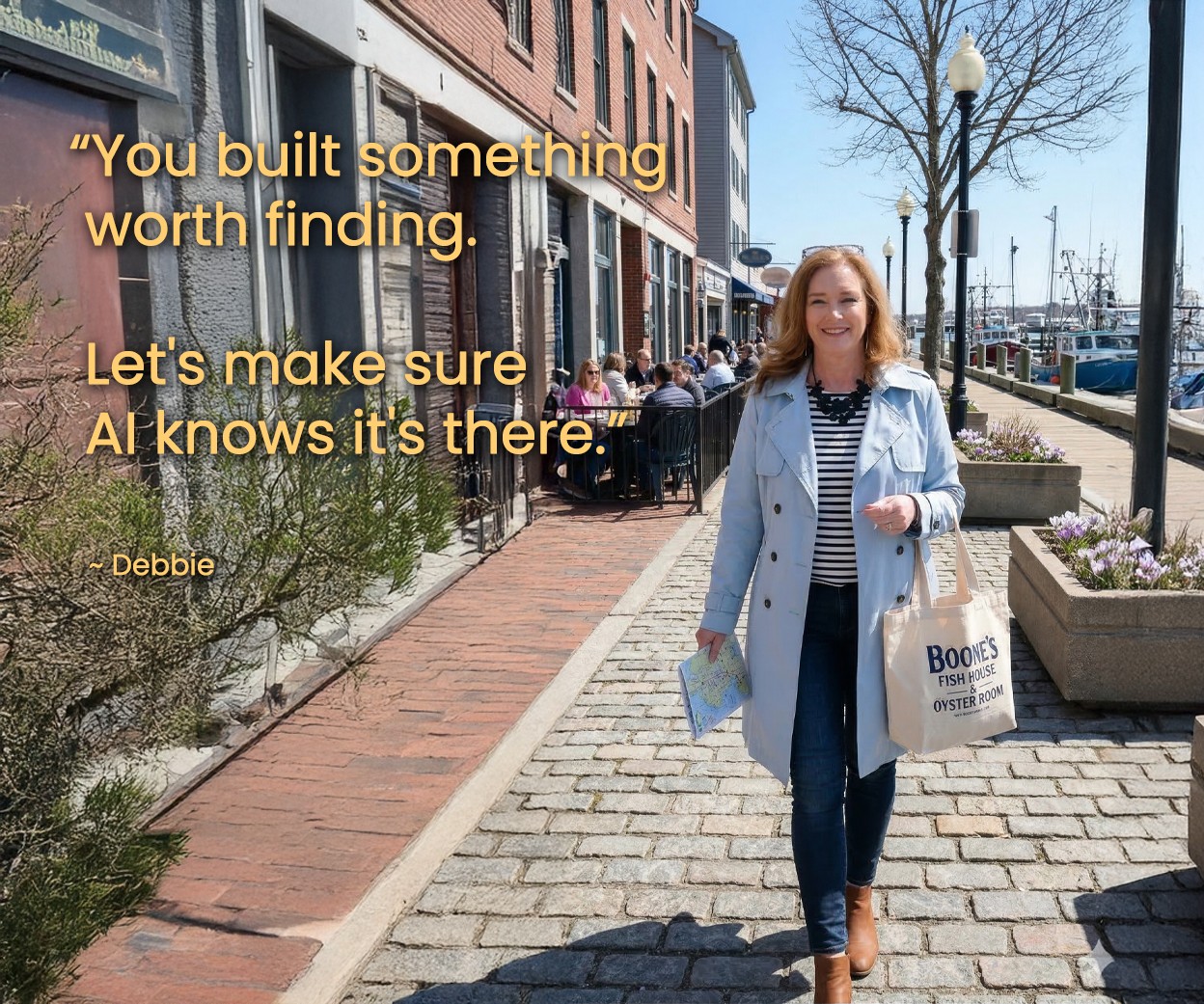
If I told you that 83% of restaurants are invisible to ChatGPT, while only 14% are invisible in a traditional Google search... would that surprise you?
That stat stopped me in my tracks this month. Because it perfectly captures where we are right now. The visibility gap between traditional search and AI search is real, and it's wider than most business owners realize.
But here's what I keep coming back to: the businesses that are showing up in AI results aren't doing anything mysterious. They're doing the basics... consistently and well. Clean data. Clear content. Structured information. Steady publishing of fresh content.
This issue is all about those basics. We're talking about why your business information needs to match everywhere it appears online, how restaurants are navigating this new landscape (spoiler: it applies to every industry), and why your blog might be the most valuable AI visibility tool you already own.
Let's get into it.
~ Debbie
_______________________________
IN THE SPOTLIGHT

Industry Spotlight
Food & Beverage • Restaurant
A well-reviewed restaurant in Portland, Maine had built a loyal following over 15 years. Strong Google reviews, a solid Google Business Profile, and a packed dining room on weekends. By every traditional measure, they were winning.
One of their patrons mentioned that they had searched ChatGPT:
"What's the best Italian restaurant near the waterfront in Portland Maine?"
The restaurant didn't appear. They are literally on the waterfront.
The issue wasn't quality... it was data. Their menu was a PDF that AI couldn't read. Their hours on Yelp didn't match Google. Their website described the cuisine as "Italian-inspired comfort food" while their Google Business Profile said "Pizza Restaurant." And they had no schema markup at all.
Meanwhile, a newer competitor down the street... fewer reviews, smaller following... showed up in ChatGPT, Perplexity, and Google's AI Overviews consistently. The difference? Clean, structured data everywhere.
Here's what we changed:
Replaced the PDF menu with an HTML menu page using structured text (dish names, ingredients, prices, dietary info)
Updated NAP information across 10 directories so everything matched exactly (we discuss NAP later in this newsletter)
Added LocalBusiness, Restaurant, and Menu schema to their website
Started responding to every review (positive & negative) with genuine, personalized replies
Published four blog posts per month answering real customer questions ("Is your pasta gluten-free?" "Do you take reservations for large parties?")
Within three months, the restaurant began appearing in AI-generated recommendations. The owner said:
"We didn't change a thing about our food or service. But once we got serious about how we showed up online, we finally started getting the visibility we knew we deserved."
THE TAKEAWAY
AI can't recommend what it can't read. Your reputation matters... but so does the data behind it. If your business information is inconsistent, your menus are locked in PDFs, or your website doesn't tell AI exactly what you offer, you're invisible to a growing audience that's asking AI where to go. This applies to every local business, not just restaurants.
READ: How Small Businesses Get Found by AI Search Engines and What to Do First →
_______________________________
NON-NEGOTIABLES
NAP Consistency Across Directories
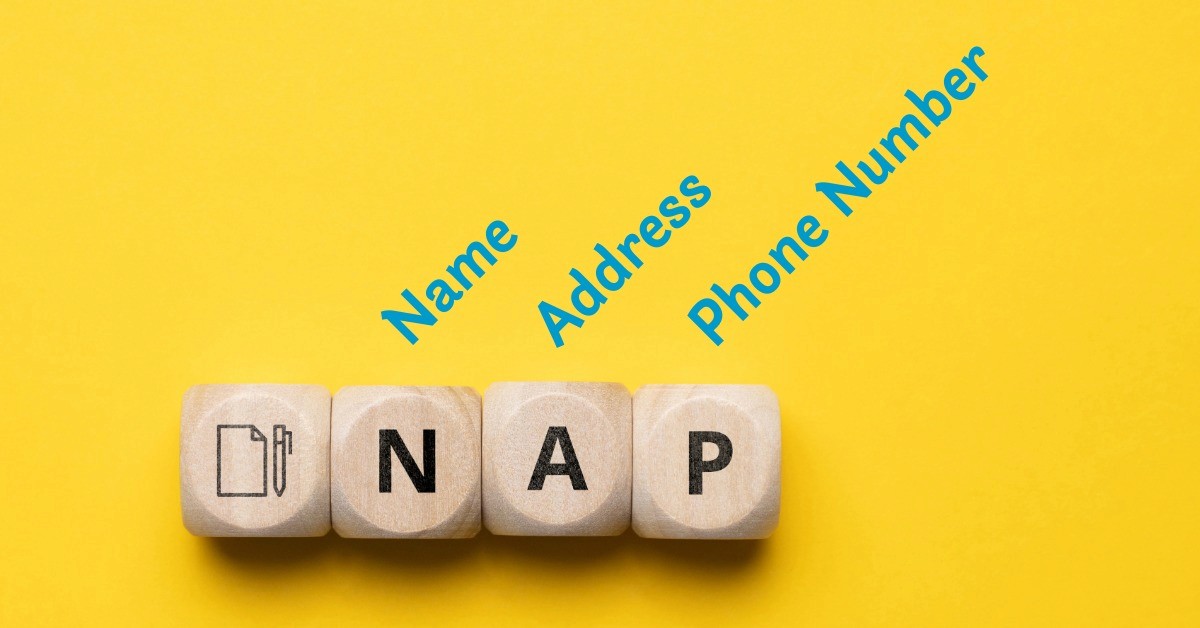
NAP stands for Name, Address, Phone Number. It's one of the simplest concepts in digital marketing... and one of the most commonly broken.
Here's why it matters for AI: when someone asks ChatGPT or Perplexity to recommend a business, these systems cross-reference your information across multiple sources. Your website. Your Google Business Profile. Yelp. Bing Places. Apple Maps. Industry directories. If those sources don't agree, AI loses confidence in your business and moves on to the competitor whose data is clean.
This isn't a theoretical problem. Research shows that ChatGPT pulls a significant amount of its local business data from sources like Yelp, not just Google. If your business name is slightly different on Yelp than on Google ("Joe's Pizza" vs. "Joe's Pizza & Subs"), or if your old office address still lives on a directory you forgot about, that inconsistency is actively working against you.
Your NAP Consistency Checklist
For every platform below, check that these four details match exactly: your business name, address, phone number, and business category.
Even small differences, "St." vs. "Street," an old phone number, a missing suite number, can cause AI to skip over your business entirely.
☐ Search your business name on Google.com and review the first three pages of results. Note every directory or listing where your business appears.
☐ Check your Google Business Profile.
☐ Check your Bing Places listing at bing.com/forbusiness. Bing feeds directly into ChatGPT.
☐ Check Apple Business Connect at businessconnect.apple.com. Siri and Apple Maps pull from this.
☐ Check your Yelp listing. Yelp shows up in roughly one-third of all AI searches.
☐ Update or remove any duplicate listings. Duplicates confuse AI even more than inconsistencies.
☐ Set a calendar reminder to re-audit your NAP every 90 days.
If you set up your Google Business Profile after Issue 001 and claimed your Bing Places listing after Issue 002... this is the natural next step. NAP consistency is the glue that holds those profiles together and tells AI: "Yes, this is the same real, active business."
_______________________________
TWO-MINUTE WIN
Use AI to Write Your Business Description
You just learned why your NAP (name, address, and phone number) needs to match everywhere. Your business description is the other piece most business owners overlook.
If your Google Business Profile says one thing, your website says another, and your Yelp profile says something else entirely, AI has a harder time connecting the dots.
Here's how to fix that in one sitting.
Step 1: Open ChatGPT or your preferred AI. Paste your website URL into this prompt:
Thoroughly review my website at [URL]. Write a clear, professional business description I can use on my About page. Include what type of business we are, the specific services we offer, who our ideal customers are, the area we serve, and what makes us different. Write it in plain language... no hype, no buzzwords. Use the kind of words a customer would use when searching for a business like ours.
* This is your master description. Edit it as needed. Make sure it sounds like you. Use on your website's ABOUT page.
BONUS
Use the table below to create versions for every platform you're on:
Platform | Field | Character Limit |
|---|---|---|
Website (About Page) | No limit | Write the full version first |
Google Business Profile | Description | 750 characters (first 250 visible) |
Bing Places | Description | ~750 characters |
Yelp | Specialties | 1,500 characters |
Company About | 2,600 characters | |
YouTube | Channel Description | 1,000 characters |
Page Bio / Intro | 101 characters | |
X (Twitter) | Bio | 160 characters |
Bio | 150 characters | |
TikTok | Bio | 80 characters |
Use this prompt for each one:
Take this business description and rewrite it for [PLATFORM NAME] in under [CHARACTER LIMIT] characters. Keep the core message... what we do, who we serve, and where we're located.
<Paste in the long form version of your final business description>
A few things to know:
Google will reject your GBP description if it includes pricing, discounts, or claims like "best in town."
Keep directory descriptions factual. Save the marketing language for your website and social media.
If you have multiple locations, use the same core description but adapt each listing with location-specific details like address and neighborhood.
_______________________________
REAL TALK
THIS ISSUE'S QUESTION
"I don't have time to blog. My business is busy. Is it really that important for AI search?"
I hear this one frequently, and I get it. Running a business is already a full-time job. But here's the reality: blog content is the number one page type cited in Google's AI Overviews. Not your homepage. Not your service pages. Blog posts.
The reason is simple... AI needs sources that answer specific questions thoroughly. Your static pages are great for people who already found you, but they don't answer the kinds of questions people are actually asking AI:
"How do I know if I need a plumber?"
"What should I look for in a good accountant?"
"Is it worth hiring a landscaper in spring?"
Those are the queries AI is fielding every day, and the businesses that answer them clearly are the ones getting cited. Your blog is the perfect vehicle to deliver these answers.
You don't need to publish every day. Two to four posts per month, focused on questions your actual customers ask you, is enough to start building real traction. And if the research and strategy side feels overwhelming, that's exactly the kind of heavy lifting our Content Strategy Tool® handles for you.
READ: Does Blogging Actually Help Your Business Show Up in AI Search? →
_______________________________
DIGITAL LOCKBOX
Who Owns Your Google Business Profile?
Your Google Business Profile is one of the most important digital assets your business has. It feeds directly into Google's AI Overviews, Google Maps, and Gemini. But do you know who actually owns yours?"
If a former employee set it up, a marketing agency manages it, or you're not sure who created it in the first place... you have a problem. Because if that person leaves, the agency relationship ends, or the associated Google account gets locked... you could lose control of the listing that AI systems rely on to describe and recommend your business.
Your GBP Ownership Checklist:
☐ Log into your Google Business Profile right now. The easiest way is to search your business name in Google Maps or Google.com Search while signed into your Google account. You'll see your profile with editing options right there. Can you access it? If not, that's your first red flag
☐ Check who the "primary owner" is by going to your profile > "Business Profile settings" > "People and Access." The Primary Owner should be someone at your company using a company email... not a personal Gmail, not an agency account.
☐ If an agency or contractor is listed as the primary owner, request a transfer of ownership. This should be non-negotiable. They can still be a manager.
☐ Make sure at least two people at your company have manager-level access. One person should never be the single point of failure.
☐ Document the associated Google account credentials in your Digital Lockbox (the one we've been building since Issue 001).
* Link to download is below.
☐ Check that the email address associated with the profile is one your company controls... not a departed employee's personal email.
PRO TIP 💡
If you've lost access to your Google Business Profile, search your business name in Google Maps or Google Search while signed into your Google account.
If you see a 'Claim this business' or 'Request Access' option, follow the steps... Google gives the current owner 3 days to respond before you may be able to claim it.
If the issue is a forgotten password on the Google account itself, start at: accounts.google.com/signin/recovery
The Digital Lockbox Guide below helps you track every critical account, login, and ownership detail your business depends on. We discuss a new item every issue.
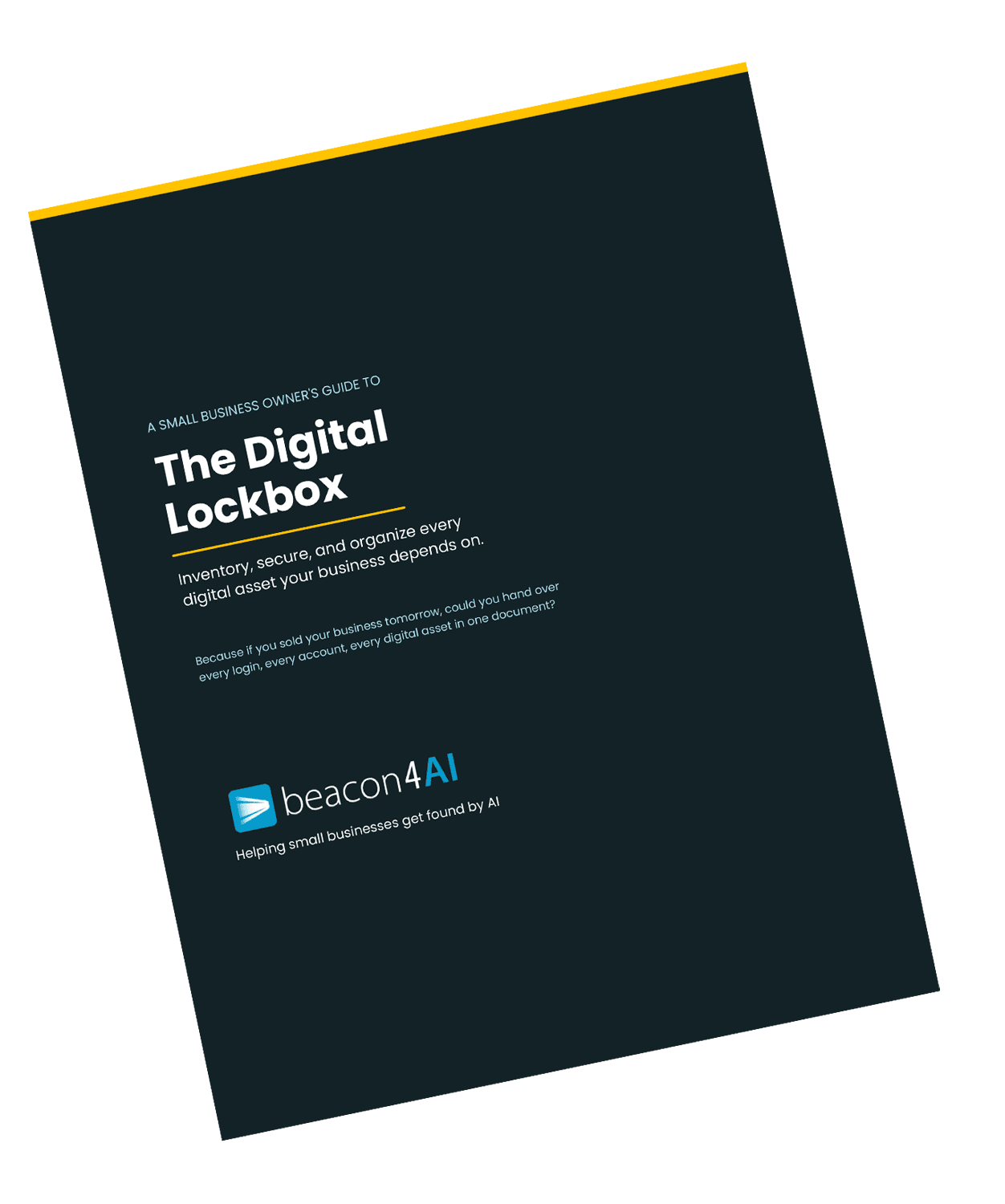
🔒 Free download for Found® subscribers
The Digital Lockbox Guide... 31 pages of practical steps to make sure you always own and control your online presence. Yours as a thank you for being here.
Download Your Digital Lockbox Guide >>>
_______________________________
THE WORKSHOP
🔒 Exclusive for Content Strategy Tool Subscribers
Use Your CST Reports to Build a Blogging Calendar
If you've been running reports in the Content Strategy Tool® but haven't turned them into a consistent blogging schedule, here's a simple system.
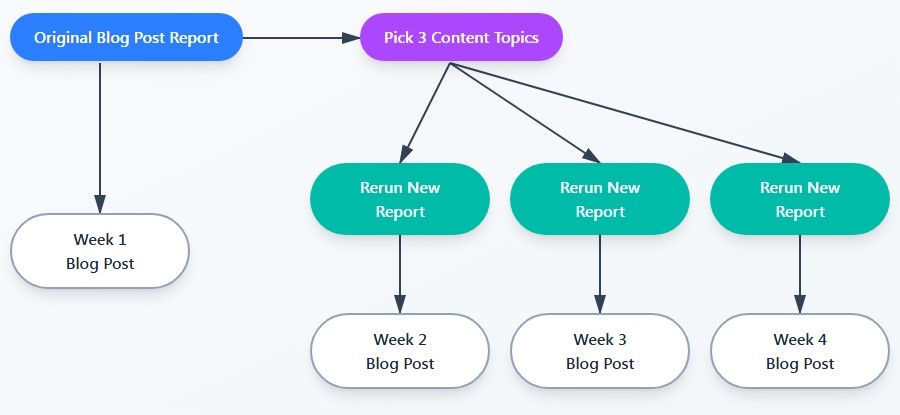
Example for 1 blog post a week for one month
Open one of the CST reports that you have already done a blog post with.
Look at the "Content Cluster" section. There will be 5 choices or "Content Topics to Create Next". These are the exact questions/topics AI systems are looking for answers to in your industry based off of that report.
Pick 3 Content Topics from that list that feel right for your business. Run new reports for each so that you generate a report for that topic.
That's your next month's blog calendar... one report per blog post, one posts per week.
Week One - Original Blog Post
Week Two - Content Topic #1
Week Three - Content Topic #2
Week Four - Content Topic #3
This is how you built topical authority. Be sure to follow the link suggestions in each of the reports.
Bonus: Your CST reports are a goldmine for social media content. Each report's "H2" and "FAQ" sections can be turned into quick social posts:
Instagram/Facebook story
Script for a quick video reel or short on YouTube
Instagram/Facebook/ X post.
One blog post fueled by one CST report can easily give you a week's worth of social content without starting from scratch. Just add an authentic image and you're done.
The most successful CST subscribers we see are the ones using reports not as one-time projects but as an ongoing content engine. The Pro plan gives you 25 reports... more than enough fuel for a consistent publishing rhythm.
_______________________________
Curious about the Content Strategy Tool?
Try it free... 3 reports, no credit card required→
_______________________________
TRENDING AI TERMS
ZERO-CLICK SEARCH
A zero-click search is when someone gets the answer they need directly from the search results page... without ever clicking through to a website. Google's AI Overviews are the biggest driver of this trend.
By the end of 2025, more than 60% of searches were resolved without a click. That number is growing.
Why this matters for your business:
If someone searches "best Italian restaurant near me" and Google's AI Overview gives them a recommendation with hours, reviews, and a map... they may never visit your website. That doesn't mean your website doesn't matter. It means your website needs to be optimized so AI can extract and present your information accurately in these no-click scenarios.
Your website, Google Business Profile, schema markup,review content, and NAP consistency all feed directly into what shows up in zero-click results. If that information is clean and structured, you can win the customer even when they never visit your site.
This is why every Non-Negotiable we've covered... GBP, Bing Places, and now NAP consistency... matters so much. You're building the data layer that AI reads and presents on your behalf.
_______________________________
Got a question about AI visibility?
Submit it and you might see it answered in the next issue.
Get Found. in your inbox.
Practical AI visibility tips for small businesses. Free, biweekly.